
Why Is My Law Firm’s AR Aging Report Wrong?

CollBox Team
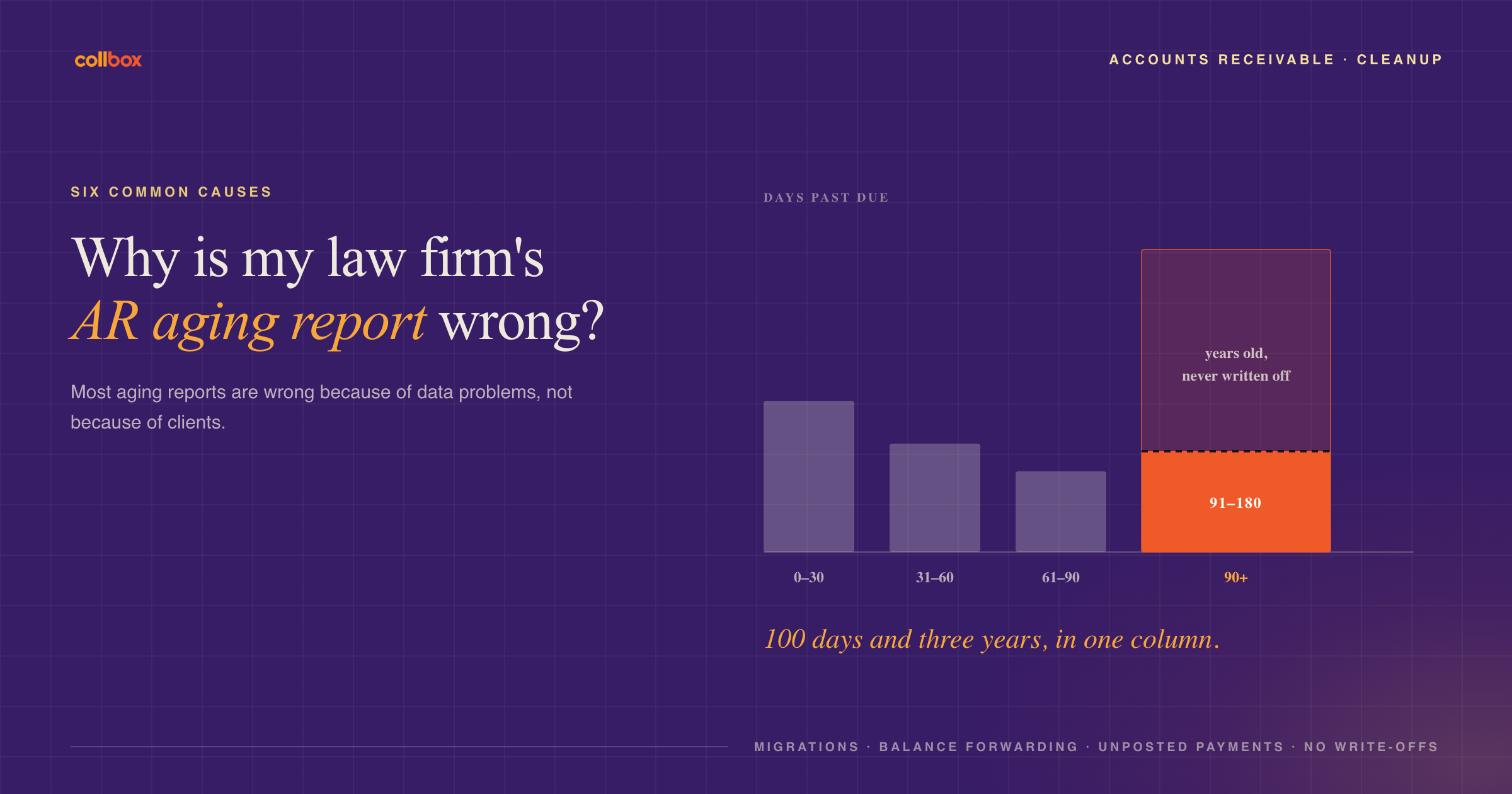
Most law firm aging reports are wrong because of data problems, not because of clients. The most common causes are old balances that were never written off, invoice dates that reset during a software migration, balance forwarding that rolls old invoices into new ones, payments that were received but never posted, bills that were issued in error, and default reports that lump everything older than 90 days into one bucket. Fixing these usually shrinks the headline number and makes the collectible part much easier to see.
On sales calls, we ask almost every firm to pull its aging report live. It’s one of the most revealing moments of the conversation. Owners scroll past balances from years ago, find invoices they thought were paid, and discover that half their “old” AR is actually recent. One operations lead told us that sometimes it’s just painful to run the report at all.
CollBox runs accounts receivable follow-up for small and mid-sized law firms on Clio, MyCase, and Smokeball, so we see a lot of aging reports. Here’s what usually goes wrong.
What makes a law firm’s aging report inaccurate?
1. Balances that were never written off
Many firms have never written off anything. One family law owner we spoke with had an AR total just over $1 million, and it went all the way back to when he opened the firm. Another attorney had a six-figure balance for a friend he’d already decided to forgive.
When uncollectible balances stay on the books, they inflate the total and hide the invoices that still matter. Partners glance at a number that big and stop taking it seriously.
2. Invoice dates that reset during a migration
When firms switch practice management systems, open invoices often come over as a single opening balance or with the migration date as the invoice date. One firm we spoke with had every legacy invoice showing the year they migrated. Balances that were really several years old looked recent, and nobody could tell which was which.
3. Balance forwarding
Some billing setups roll unpaid amounts into each new invoice as a “previous balance.” It looks tidy, but it can wipe out the aging history. The old balance appears to be as new as the latest bill, so the report can’t tell you how long the money has actually been owed. Some firms also found that clients read the rolled-up total as a brand new charge and called to dispute it.
4. Payments received but never posted
If your payment processor doesn’t sync automatically with your practice management system, or someone takes a check and forgets to record it, the invoice stays open. A paid client then shows up as past due. Besides distorting the report, this is how clients who already paid end up getting reminders, which is a quick way to damage a relationship.
5. Bills issued in error
Mis-issued invoices, duplicates, and bills that were supposed to be adjusted all sit in the aging report until someone voids them. One firm administrator told us she cleared about $700,000 from a $4 million past-due balance in four months, mostly by cleaning up entries like these.
6. Default report buckets that stop at 90 days
Many standard aging reports group everything past 90 days into a single column. That’s a problem because a balance at 100 days and a balance at three years are completely different collection situations. Firms need to see the 91 to 180 day range separately, because that’s the last window where consistent follow-up is still very effective.
How do you clean up an AR aging report?
Work through it in this order:
- Pull the report with the widest date range your system allows and export it, so you can sort by both age and balance.
- Reconcile payments first. Match deposits and processor payouts against open invoices and post anything missing. This step alone removes a surprising number of “past-due” clients.
- Void or correct mis-issued bills with the responsible attorney’s sign-off.
- Recover the real invoice dates for anything that came over in a migration. If your old system is still accessible, the original dates are there.
- Stop using balance forwarding going forward, and bill each period as its own invoice so aging stays accurate.
- Decide what to write off. Balances with no realistic path to collection should come off the books on purpose, with documentation.
- Split what’s left into three groups: under 180 days past due, older with a real path to payment, and everything else.
The first group is where follow-up still works, and it’s usually the group that matters most.
“When a firm pulls its aging report with us for the first time, the total almost always goes down once we clean it up. That’s a good thing. Cleaning up never costs a firm money it was going to collect. It shows which invoices are actually collectible, so the team can finally go after them.” Matt Darner, Co-founder and CEO, CollBox
How does CollBox help with AR cleanup?
CollBox syncs with Clio, MyCase, or Smokeball and reads your open invoices directly. Onboarding starts with a cleanup of your eligible past-due balances, so follow-up begins with accurate data and your team isn’t calling clients who already paid. From there, a North America-based AR specialist works eligible invoices up to 180 days past due, in your firm’s name, on a consistent schedule.
Frequently asked questions
How often should a law firm review its aging report? At least monthly, and weekly if you’re actively cleaning up. Review it sorted by age and by balance, because a large new invoice can be riskier than a small old one.
Should a law firm write off old invoices? Yes, once documented follow-up hasn’t worked and there’s no realistic path to payment. Keeping uncollectible balances on the books makes the whole report harder to trust. Talk to your accountant about how write-offs affect your books and taxes.
Why does my aging report show old invoices as current? The two most common reasons are a software migration that reset invoice dates and balance forwarding that rolls old balances into new invoices. Both make old money look new. Recovering the original invoice dates fixes the first problem, and billing each period separately prevents the second.
What’s a healthy amount of AR for a small law firm? It depends on your billing model and practice area, but the trend matters more than the total. If the amount moving into your 90+ day bucket grows month after month, your follow-up isn’t keeping pace with your billing.
Can CollBox work invoices older than 180 days? No. CollBox works balances up to 180 days past due. For older balances, firms can decide whether to write them off, handle them through the attorney, or refer them elsewhere.
Find out what’s really in your AR
Book a call with Matt Darner and walk through your aging report together, or get started with CollBox.
